

TL;DR:
- Mortgage calculators vary in accuracy, with PITI-focused tools providing the most comprehensive estimates.
- They should supplement, not replace, lender pre-approvals, since local taxes and assessments significantly impact monthly costs.
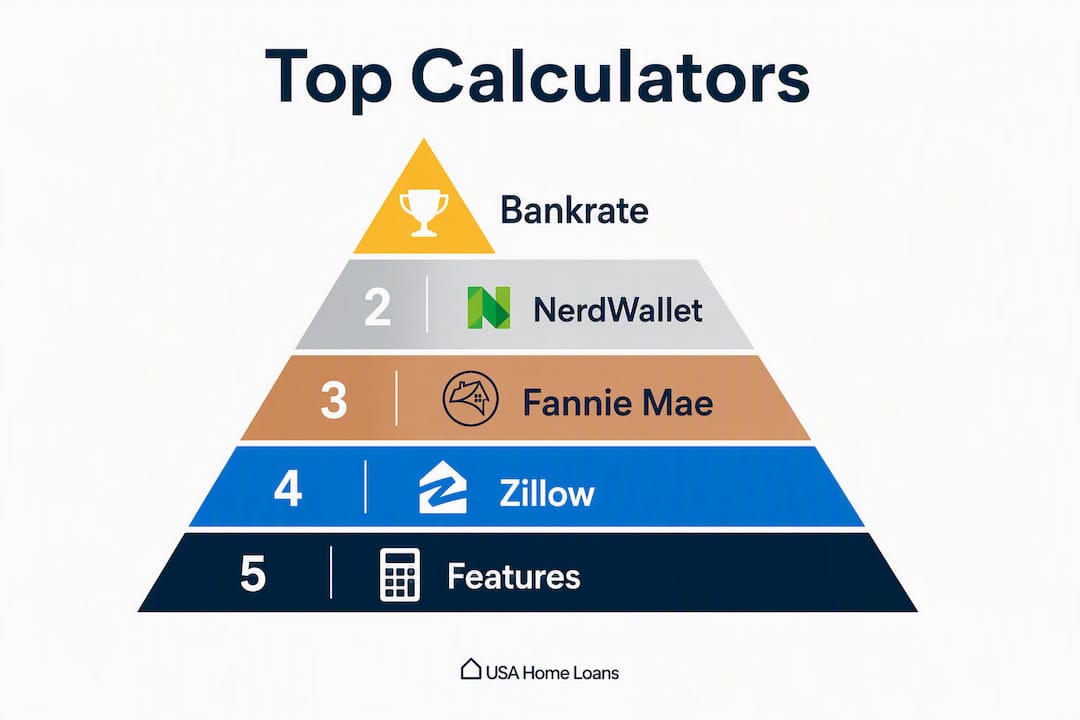
The four best mortgage calculators for first-time buyers are the Bankrate mortgage calculator (best for full PITI breakdowns), the Fannie Mae mortgage calculator (best for standards-aligned conventional loan estimates), the Zillow mortgage calculator (best for testing payments on specific listings), and the NerdWallet mortgage calculator (best for side-by-side loan scenario comparisons). Each one serves a different stage of your homebuying process, and knowing which to reach for first saves you from a lot of confusing, mismatched numbers.
TL;DR — Quick picks by need:
- Best for PITI accuracy: Bankrate mortgage calculator — shows principal, interest, taxes, and insurance in one clear breakdown
- Best for conventional loan standards: Fannie Mae mortgage calculator — mirrors the assumptions lenders actually use
- Best for browsing listings: Zillow mortgage calculator — run payment estimates directly on homes you're already viewing
- Best for comparing loan offers: NerdWallet mortgage calculator — side-by-side scenarios with clear guidance on tradeoffs
One important note before you start: calculators are scenario-planning tools, not qualification documents. The CFPB is clear that only a lender's Loan Estimate or pre-approval gives you reliable qualifying numbers.
Table of Contents
- Which mortgage calculator fits your first-time buyer situation?
- How each top calculator handles taxes, insurance, and PMI
- How to use a mortgage calculator step by step
- Why do different calculators give you different answers?
- How do you choose the right calculator for your situation?
- How we chose the calculators on this list
- Key Takeaways
- What first-time buyers often miss about calculator numbers
- Ready to turn your calculator estimates into real numbers?
- Sources and further reading
Which mortgage calculator fits your first-time buyer situation?
| Calculator | Best for | Inputs supported | Ease of use | Output detail | Customization | Assumptions transparency | Cost / signup |
|---|---|---|---|---|---|---|---|
| Bankrate mortgage calculator | Detailed PITI breakdowns and quick term comparisons | Taxes, insurance, PMI, HOA, down payment | High — clean, beginner-friendly UI | Amortization schedule, monthly breakdown | Multiple loan types, APR vs rate, term options | Clear defaults, editable fields | Free, no signup |
| Fannie Mae mortgage calculator | Standards-based estimates aligned with conventional underwriting | Taxes, insurance, PMI, down payment | Moderate — straightforward but minimal | Basic monthly output | Conventional loan focus | High — mirrors lender-class assumptions | Free, no signup |
| Zillow mortgage calculator | Quick payment estimates while browsing listings | Taxes, insurance, PMI, HOA, down payment | Very high — embedded in listings | Monthly payment summary | Loan type and term options | Moderate — uses regional averages | Free, no signup |
| NerdWallet mortgage calculator | Side-by-side loan comparisons and tradeoff guidance | Taxes, insurance, PMI, HOA, down payment | High — guided, explanatory UI | Scenario comparison, amortization | Multiple loan types, APR, term options | High — explains assumptions inline | Free, no signup |
Notable limits by tool:
- Bankrate uses national averages for taxes and insurance when you don't enter local figures — always override with your county's actual rate.
- Fannie Mae focuses on conventional loans; it's less suited for FHA, VA, or USDA scenario planning.
- Zillow pulls regional tax estimates tied to the listing, which can still differ from a post-sale reassessed value.
- NerdWallet is excellent for comparing scenarios but requires you to input your own PMI rate if you want precise PMI figures.
How each top calculator handles taxes, insurance, and PMI
Bankrate mortgage calculator
Bankrate's tool is the most thorough option for first-time buyers who want to see the full monthly picture before talking to a lender. You can enter home price, down payment, loan term, interest rate, property tax, homeowners insurance, HOA fees, and PMI in a single session. The output breaks down your payment into its PITI components and generates a full amortization schedule you can review month by month.
Strengths:
- Full PITI display with editable tax and insurance fields
- Amortization schedule available without signup
- Supports 15- and 30-year fixed plus ARM options
Watch for:
- Default tax and insurance figures are national averages — replace them with local numbers from your county assessor
- PMI is included but uses a standard rate; your actual PMI may vary by lender and credit score
Best used at the budgeting stage, when you want a realistic monthly number before you've found a specific home.
Fannie Mae mortgage calculator

Fannie Mae's calculator carries a trust signal that no consumer finance site can replicate: it's built by the government-sponsored entity whose guidelines most conventional lenders follow. The inputs are straightforward, and the assumptions behind the output reflect actual underwriting standards rather than marketing-friendly estimates.
Strengths:
- Assumptions align with conventional loan underwriting
- Strong credibility for buyers preparing to discuss numbers with a lender
- No signup required
Watch for:
- Limited to conventional loan scenarios; not designed for FHA, VA, or USDA programs
- Output detail is more basic than Bankrate's — no full amortization export
Best used when you're preparing to meet a lender and want estimates that won't surprise your loan officer.
Zillow mortgage calculator
Zillow's calculator earns its place because of one feature no standalone tool can match: it's embedded directly in listing pages. When you find a home you like, you can adjust the down payment, loan term, and rate right there on the listing and see how the payment shifts in real time. That immediacy makes it the fastest tool for first-time buyers who are actively browsing.
Strengths:
- Integrated with listing search for immediate context
- Covers taxes, insurance, PMI, and HOA
- Very low friction — no account needed for basic use
Watch for:
- Tax estimates are regional averages tied to the listing's location, not post-sale reassessed values
- Less useful as a standalone budgeting tool when you're not yet focused on a specific property
Best used while browsing listings, as a quick sanity check before you request a showing.
NerdWallet mortgage calculator

NerdWallet's tool is built for comparison. You can run multiple loan scenarios side by side — different terms, rates, or down payment amounts — and the interface explains what each tradeoff means in plain language. For a first-time buyer weighing a 15-year versus a 30-year loan, this is the clearest way to see the payment comfort trap in action: a 30-year loan lowers your monthly payment but adds significantly more total interest over the life of the loan.
Strengths:
- Side-by-side scenario comparisons with explanatory guidance
- Covers taxes, insurance, PMI, HOA, and down payment
- Transparent about what assumptions it's using
Watch for:
- PMI figures require manual input for precision
- Best for comparison planning, not as a final pre-lender estimate
Best used when you're comparing loan offers or deciding between loan terms before committing to an application.
How to use a mortgage calculator step by step
Getting useful numbers out of any calculator depends entirely on what you put in. Here's the exact workflow to follow:
- Enter the home price — use the listing price or your target budget ceiling.
- Set your down payment — enter both the dollar amount and the percentage. If you're putting down less than 20%, PMI will apply.
- Choose your loan term — 30-year fixed is the most common starting point; run a 15-year scenario afterward to compare total interest.
- Enter an interest rate — if you don't have a lender quote yet, use a rate slightly above current advertised averages. Advertised rates go to top-tier borrowers; a small buffer gives you a realistic safety margin.
- Look up your local property tax rate — visit your county tax assessor's website and enter the actual rate, not the calculator's default placeholder.
- Add homeowners insurance — get a quick quote from an insurer or use a regional estimate from your insurance agent.
- Include HOA fees — if the property has an HOA, add the monthly dues. This is especially important for condos and planned communities.
- Add PMI if your down payment is under 20% — most calculators estimate PMI automatically, but verify the rate with your lender.
- Account for closing costs and reserves separately — closing costs typically run 2–5% of the purchase price, and a maintenance reserve of roughly 1% of home value annually is a widely used planning benchmark. These don't appear in your monthly PITI but are real cash-to-close and ongoing costs.
Worked example: $550,000 home in Southern California
The gap between the P&I figure and the full monthly cost is significant. PITI can run 20–30% higher than principal and interest alone when taxes and insurance are added — and in markets with active HOAs, the real number climbs further.
Pro Tip: For Southern California buyers, check whether the property sits in a Mello-Roos district. Special tax assessments in these areas can add hundreds of dollars per month on top of the standard property tax rate. Your county assessor's site will show whether a parcel carries a Mello-Roos levy. See our first-time buyer tips for Southern California for a full checklist of local cost items to verify before making an offer.
Why do different calculators give you different answers?
The mortgage formula for principal and interest is fixed math: monthly payment = P × [r(1+r)^n] / [(1+r)^n – 1], where P is loan principal, r is the monthly interest rate, and n is the number of payments. Every calculator uses this same formula. The variation in outputs comes from everything built on top of it.
PITI — principal, interest, taxes, and insurance — is what lenders actually use to calculate your debt-to-income ratio. Calculators that show only P&I make your payment look lower than it really is.
Common reasons outputs differ across tools:
- Advertised vs. personalized rate: National average rates assume excellent credit. Your actual rate may be higher depending on your credit score and loan type.
- Tax and insurance placeholders: Many tools default to a national or regional average (~1.2% for property tax) that can be significantly off for your specific city, school district, or special assessment zone.
- PMI rate assumptions: PMI varies by lender, loan-to-value ratio, and credit score. A calculator using a generic PMI rate may overstate or understate your actual cost.
- HOA omissions: Many calculators don't include HOA fees by default, which can be a large monthly line item in condo and planned community purchases.
- Rate update frequency: Some tools update their default rate daily; others lag by days or weeks.
- Escrow changes over time: Property taxes and insurance premiums can increase annually, raising your escrow payment and therefore your total monthly cost.
Pro Tip: Always run your calculator with a rate that's 0.25–0.5% above the best advertised rate you've seen. If the payment still fits your budget at that higher rate, you have a real cushion. If it doesn't, you've found your true ceiling before a lender does.
How do you choose the right calculator for your situation?
The right tool depends on where you are in the buying process. Use this quick decision guide:
If you're setting your initial budget: Reach for Bankrate or NerdWallet. Both support full PITI inputs, let you override tax and insurance defaults, and generate amortization schedules without requiring a signup. Start with a conservative rate and your county's actual tax rate.
If you're actively browsing listings: Zillow's embedded calculator is the fastest option. It pulls location-based tax estimates automatically, so you can test a payment the moment a listing catches your eye. Just remember to verify the tax figure against the county assessor's site before you get serious about a property.
If you're preparing to meet a lender: Run your numbers through the Fannie Mae calculator. Its assumptions mirror conventional underwriting standards, so the output is a credible starting point for a lender conversation. Pair it with a mortgage pre-approval to get firm qualifying numbers.
If you're comparing loan offers: NerdWallet's side-by-side scenario tool is built for exactly this. Compare a 15-year and 30-year loan, or two different rate quotes, and see the total interest difference over the life of each loan — not just the monthly payment.
Questions to ask before trusting any calculator:
- Does it let me enter my local property tax rate, or does it use a national default?
- Does it show PMI when my down payment is under 20%?
- Can I export or print an amortization schedule?
- Is a signup required to see the full output?
- Does it explain what assumptions it's using?
Red flags to avoid: Any calculator that shows only P&I with no path to add taxes and insurance, requires a signup to see amortization detail, or uses undisclosed defaults for tax and insurance is giving you an incomplete picture. Customizable local inputs are the single biggest differentiator in calculator accuracy for first-time buyers.
How we chose the calculators on this list
Every calculator on this list was evaluated against the same criteria, reviewed in 2026:
- Source credibility: — Is it published by a government-sponsored entity, a regulated lender, or a well-established consumer finance platform?
This list prioritizes tools that surface PITI and PMI clearly for first-time buyers. Vendor rankings and advertising relationships played no role in the selection.
Key Takeaways
The most accurate mortgage estimate for a first-time buyer combines a PITI-focused calculator, local tax and insurance inputs, and a lender's pre-approval for firm qualifying numbers.
| Point | Details |
|---|---|
| Use PITI, not just P&I | Full monthly costs including taxes, insurance, and PMI can run 20–30% higher than principal and interest alone. |
| Override default tax inputs | Always replace calculator placeholders with your county assessor's actual property tax rate for your target area. |
| Add closing costs separately | Budget 2–5% of purchase price for closing costs and roughly 1% of home value annually for maintenance reserves. |
| Run a conservative rate scenario | Use a rate slightly above advertised averages if you don't have a lender quote — it gives you a realistic cost ceiling. |
| Increaltors for local precision | Increaltors provides agent-assisted estimates that incorporate local tax assessments, HOA data, and Mello-Roos for SoCal buyers. |
What first-time buyers often miss about calculator numbers
Most buyers I work with in Southern California arrive at our first conversation with a monthly payment number from Zillow or Bankrate — and that number is almost always lower than what they'll actually pay. Not because the calculator is wrong, but because it doesn't know what I know about the specific neighborhood.
The clearest example: a buyer targeting a newer community in the Inland Empire or parts of Orange County may be looking at a property inside a Mello-Roos district. The standard property tax rate might show up as 1.1% or 1.2% in a calculator, but the actual effective tax rate after the special assessment can be closer to 1.8% or even 2%. On a $600,000 home, that's a difference of $300 or more per month. Add HOA fees typical for a planned community, which can be a substantial monthly expense, and the gap between the calculator's estimate and the real monthly obligation can exceed $700.
Online tools are genuinely useful for setting a budget range and understanding how rate changes affect your payment. Where they fall short is in the hyper-local detail that determines whether a specific home is actually affordable for you. That's the conversation worth having with an agent before you write an offer, not after.
Ready to turn your calculator estimates into real numbers?
Online calculators give you a solid starting point, but they can't account for Mello-Roos assessments, neighborhood-specific HOA structures, or the insurance premiums that vary block by block in Southern California. That's where personalized guidance makes a real difference.

Increaltors, led by Irvin Nierras at HomeSmart Evergreen Realty, works with first-time buyers across Los Angeles, Orange County, and surrounding Southern California markets to build payment estimates that reflect what you'll actually pay. That means verified local tax rates, HOA figures pulled directly from community disclosures, and connections to lenders who can deliver a real Loan Estimate — not a placeholder number.
When you're ready to match your calculator scenarios to actual available homes, browse current listings or reach out directly to Irvin for a personalized cost breakdown before you make an offer.
Sources and further reading
| Source | Why it's useful |
|---|---|
| CFPB — Mortgage Calculator Guidance | Explains why calculators are scenario tools and why a Loan Estimate is required for qualification |
| Rocket Mortgage — What PITI Means | Clear breakdown of PITI components and how lenders use them to calculate DTI |
| Loangevity Mortgage — Calculator Mistakes | Covers common input errors including rate assumptions and tax placeholder risks |
| HowToCalculate — P&I vs PITI Blind Spots | Details the payment comfort trap and why term comparisons need total interest, not just monthly payment |
| CalcMoney — First-Time Buyer Affordability | Explains closing cost budgeting and maintenance reserve planning for new buyers |
| First Home Toolkit — What Calculator Numbers Mean | Practical guide to customizing inputs and interpreting outputs for first-time buyers |
| Increaltors — Southern California Listings | Browse available homes and match calculator scenarios to real properties in LA, Orange County, and nearby markets |
| Increaltors — SoCal First-Time Buyer Tips | Local checklist covering Mello-Roos, HOA, and funding considerations specific to Southern California buyers |